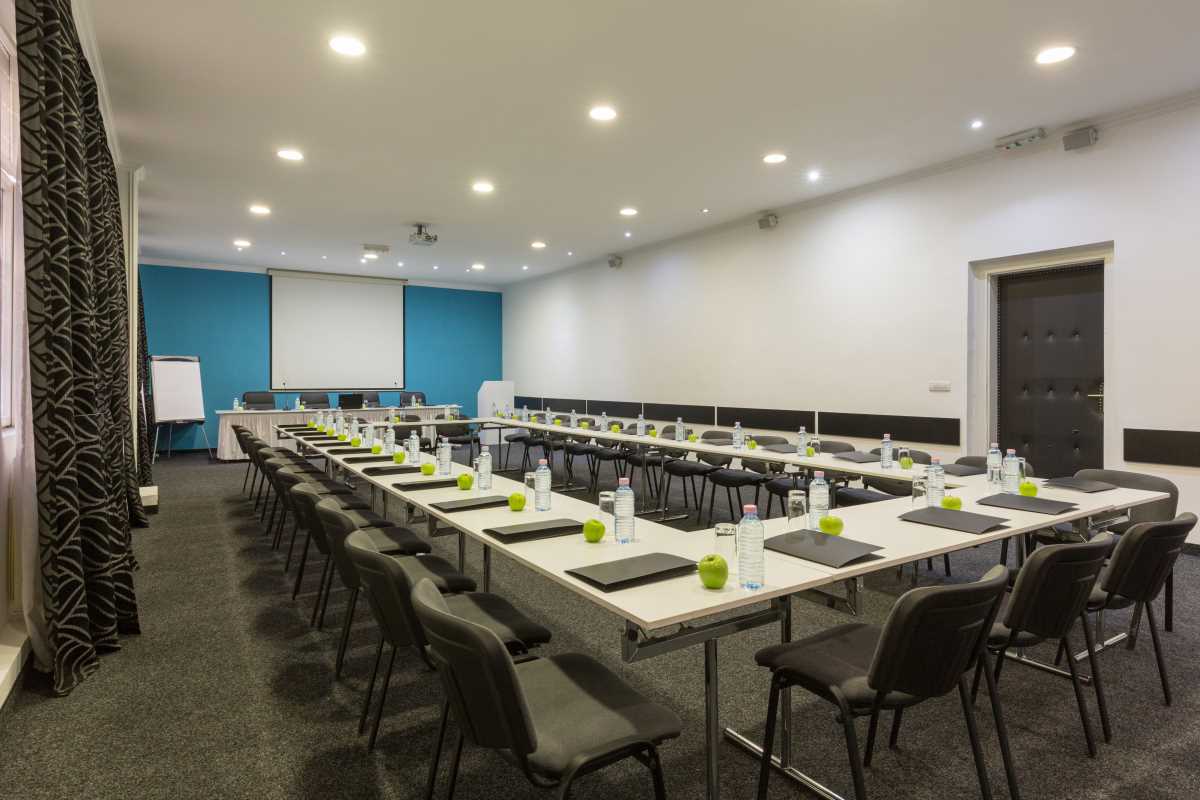
A hybrid meeting where some people sit in a conference room and others remotely video in can get awkard quick. Remote participants can feel like they are on the outside looking in. Relying on a standard laptop webcam fails to capture everyone sitting around a table, making it difficult for those dialing in to follow the conversation or pick up on subtle non-verbal cues. This digital divide can quickly undermine teamwork and put remote employees at a significant disadvantage. Implementing the right visual technology effectively bridges these communication gaps, creating sessions that are truly inclusive and interactive. In this comprehensive guide, we discover which cameras elevate the quality of group meetings. Learn how smart framing, superior clarity, and intelligent features keep your team connected and engaged, no matter where they join from.
Where Basic Setups Fall Short
A single laptop seems convenient for group calls, but it’s not designed for the job. Its camera offers a narrow snapshot, often showing just whoever sits in front. Other voices are heard, but faces are missing, and details are lost. The device’s built-in mic can’t easily cover a long table.
Hybrid sessions end up being two parallel experiences. In-person attendees talk naturally, while others look on, feeling more like spectators than participants. More than 70% of people working offsite say they miss key discussions or insights during these calls, according to recent surveys. This disconnect erodes morale. A device built specifically for group video is vital for bridging this divide.
Logitech Rally Bar
Logitech stands at the forefront for a reason. Its Rally Bar brings together camera, microphones, and audio in a single tidy package. It works well in middle and larger spaces, helping streamline the setup and reduce extra wires.
Smart Framing in Action
What sets the Rally Bar apart is its smart second lens, powered by AI. This camera constantly checks the room and adjusts the view to show all attendees. As soon as someone starts speaking, the main 4K lens shifts smoothly to spotlight them. With features like RightSight 2, visuals feel engaging and dynamic, giving faraway attendees a front-row seat.
High-Quality Sound
Clear audio is crucial for a productive discussion. Rally Bar addresses this with noise reduction and microphones that zero in on whoever is talking, shutting out background distractions. Its speakers deliver strong, crisp sound across the room. For very large tables, extra microphone pods can be added for better coverage.
Owl Labs Meeting Owl 3
The Meeting Owl 3 offers a distinct approach for modern teams. This device sits in the center of the table, delivering a 360-degree view and audio capture, so nobody is hidden from the call.
Smarter Speaker Focus
With its built-in intelligence, the Meeting Owl recognizes voices and shows the whole group in a panoramic shot, while displaying close-ups of active speakers in turn. This dual view makes it easier for people not in the room to stay engaged and follow the flow of conversation, as if they’re sitting at the table.
Stress-Free Use
The Meeting Owl’s simplicity stands out. Plug it into a computer’s USB port, and it works without any special software. It's compatible with Zoom, Teams, and all major platforms. Anyone can set it up, making it a favorite for growing businesses or teams with limited IT support.
Poly Studio X50
Poly, a longtime name in workplace communication, offers the Studio X50. All core components come built into one compact bar, and it runs conferencing software like Microsoft Teams right from the unit with no need for an external computer.
Adaptive Camera Features
The Studio X50 comes with DirectorAI, a suite of automated tools:
- Group Mode: Ensures everyone is visible
- Speaker Focus: Zooms in on whoever is talking
- Personal Windows: Provides a separate video pane for each person in the room
This last feature means remote viewers see each person as an individual, making hybrid calls feel fair for all.
Advanced Noise Controls
Background clatter can dominate a call. Poly has developed NoiseBlockAI, which silences microphones automatically when no one’s talking and reduces unwanted sounds like rustling papers or snacks, making the audio stream clear and focused.
Jabra PanaCast 50
Jabra leverages its experience in audio and communication for the PanaCast 50, an advanced bar with features designed to keep hybrid meetings fluid.
Seamless Ultra-Wide Video
Three powerful lenses are stitched together in real time to form a sharp, 180-degree view in 4K. Everyone is visible without awkward stretching or distortion, making the entire space feel open and accessible to those connecting online.
Intelligent Auto-Directing
Virtual Director keeps meetings dynamic by adjusting the view based on who’s talking. It smoothly moves between showing the whole room and focusing in when a speaker is active, creating an experience closer to a live TV broadcast. It also supports room analytics, letting facilities track attendance trends for resource planning.
Top Features to Weigh Before Choosing
Selecting the best device will depend on both the room and how you prefer to run meetings. Here’s what to keep in mind:
- Angle of View: Think about how much of the space needs to be shown. Smaller breakouts might be fine with a narrower lens, but boardrooms or collaborative layouts will require a wider capture. For circular setups, a true 360-degree device makes sure nobody is left out.
- Image Resolution: 4K delivers crisp images, making it easier to read expressions and pick up on nonverbal cues. With a higher-quality sensor, you can zoom without losing clarity, even for platforms that only transmit in HD.
- Automated Adjustments: Tech that recognizes speakers and adjusts framing saves time and delivers a polished look to every meeting. Smart features like motion tracking and auto-zoom remove the burden of manual control.
- Voice and Audio: Multiple microphones with noise filtering are key. They help isolate what matters in the discussion, reducing the hassle of echoes or background sounds. Built-in speakers are convenient, but it’s important to ensure they’re a good match for the space.
All articles published on ToolGauge are created for informational and editorial purposes only. Readers are encouraged to verify details directly with manufacturers, service providers, or official industry sources before making business or technology-related decisions. ToolGauge is not affiliated with, endorsed by, or officially connected to any specific company, brand, or technology provider unless explicitly stated.