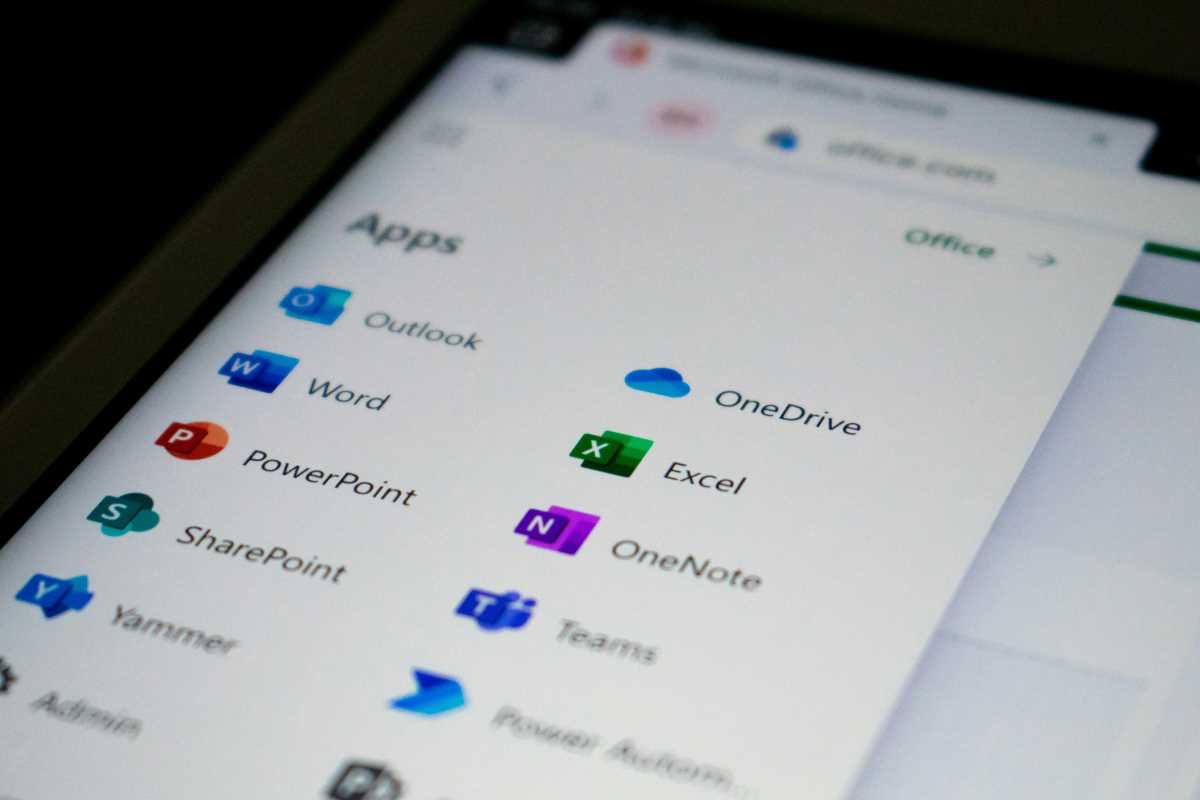
 (Image via
Workplaces nowadays require so many different digital tools and sites that it becomes overwhelming. Employees lose precious time first learning and then switching between these platforms. The growing number of specialized apps can leave teams overwhelmed, which is a situation known in many offices as "app fatigue." Unified software collections address this issue by bringing essential functions together under one umbrella. With these offerings, teams can communicate, manage documents, and coordinate projects in an integrated fashion. Choosing an all-in-one solution cuts subscription costs and creates a smoother, safer digital environment. This guide compares leading options, highlighting their core features and showing how they foster an organized, high-performing workspace.
The Drawbacks of Piecemeal Software
It's common for businesses to seek the "top-rated" tool for every need, be it messaging, file-sharing, or scheduling. This piecemeal approach quickly fragments the workflow. Time gets lost to window-switching, multiple logins, and searching for the latest version of a file across various platforms.
Security concerns rise with each new application added. More logins, passwords, and update schedules create opportunities for errors and vulnerabilities. Unified platforms tackle these hurdles, offering single sign-on access and a consolidated administrative view. Choosing a bundled approach helps teams operate efficiently and can reduce monthly software expenses.
Microsoft 365
Microsoft 365 is widely adopted for a reason. It covers a spectrum of business needs through a cohesive set of tools, eliminating the necessity for several independent subscriptions.
Centralized File and Document Tasks
Word, Excel, and PowerPoint remain staples for text, data, and design work. OneDrive, included in the package, gives each user substantial online storage, providing an alternative to services like Dropbox or Box. Documents can be shared, edited, and stored easily without ever exiting the Microsoft environment.
Bringing Communication and Notes Together
Teams is a robust space for chat, video calls, and file sharing, reducing reliance on extra messaging or meeting tools. Users can open Office documents within Teams, ensuring discussions and edits happen in sync. For notes and organization, OneNote syncs across devices and is closely linked to other Microsoft offerings, providing a practical replacement for other note-taking solutions.
Built-In AI Functionality
The platform features Copilot, an AI-powered assistant, throughout its suite. It assists with writing, summarizing, and data analysis, helping users manage information and automate simple tasks, all without relying on additional plugins or separate software tools.
Google Workspace
Google Workspace is purpose-built for collaboration and flexibility, making it a top choice for distributed or hybrid teams.
Integrated Collaboration Tools
With Gmail for mail, Google Chat for quick conversations, and Meet for video, teams can handle communications within a single environment. Whether organizing a meeting or sharing a quick update, it all happens in one place. This removes the need for separate chat or video apps.
Real-Time Document Work
Docs, Sheets, and Slides allow multiple people to work on files at the same time, encouraging cooperation and reducing confusion about document versions. Google Drive serves as the cloud base for all files, integrating seamlessly with the rest of the system.
Smarter Scheduling and Coordination
Google Calendar conveniently links with email and meetings. Viewing team members’ schedules makes finding meeting times easier, removing the need for outside planning services.
ClickUp
ClickUp stands out for teams seeking to corral their organizational and project management tools into one place. While it doesn't replace email, it does combine several other core functions.
Unified Project and Task Management
ClickUp brings together planning, workflow, and tracking features. It can serve teams accustomed to Asana, Trello, or Jira by offering flexible boards, charts, and task lists. Teams from different departments can all work within the same space, supporting a variety of working preferences.
Collaborative Docs and Visual Tools
Teams can produce and share knowledge bases and how-to guides directly within ClickUp, removing the need for separate wiki or documentation software. Its whiteboard feature allows users to brainstorm visually, moving ideas directly into actionable items without exporting them elsewhere.
Internal Time Monitoring
A built-in time tracker offers a straightforward way to account for hours spent on tasks, eliminating the requirement for additional time-management services and reducing overall complexity.
Zoho Workplace
Zoho positions itself as an affordable alternative to larger vendors, offering a deep set of features at a competitive price point.
Full Suite of Office Utilities
Writer, Sheet, and Show deliver word processing, spreadsheets, and presentations, ensuring file compatibility with major formats. Collaboration and version control features are included, so work flows smoothly among team members.
Consolidated Communication Channels
Zoho Cliq streamlines text and voice conversations, while Zoho Mail offers secure, ad-free hosting that ties directly into the broader suite.
Extended Functionality for Specialists
Zoho links its office suite with customer management and team support tools, providing a coordinated ecosystem for a wide variety of business needs.
BoldDesk
Customer support professionals benefit from streamlined tools that bring all interactions together without needing separate chat, ticketing, or documentation platforms.
Combined Support Desk
BoldDesk handles incoming requests via email, chat, and social platforms, funneling everything into a single dashboard. This approach keeps agents focused and ensures no message slips through the cracks.
Knowledge Resources Included
Teams can quickly create guides and help articles for both customers and internal staff, without needing an outside documentation provider. Relevant articles can be linked to tickets, helping close support interactions faster.
Smart Features for Better Service
AI-powered summaries, response suggestions, and automation options help the team handle routine tasks swiftly. Everything remains within the platform, avoiding the need for outside automation or AI services.
Making Processes Smoother With Automation
An important advantage of any suite is how well its components interact, helping teams cut repetitive work and save valuable time.
Automating Everyday Workflows
Tools for workflow automation eliminate repetitive, manual processes. Information can move automatically between tasks and documents, reducing errors and freeing staff to focus on more interesting work.
Building a Connected Environment
Platforms like Zapier and built-in options such as Power Automate (Microsoft) allow users to link suites with any must-have specialized tools. These connections ensure efficient communication between platforms, maximizing the benefits of bundling your essential software tools.
All articles published on ToolGauge are created for informational and editorial purposes only. Readers are encouraged to verify details directly with manufacturers, service providers, or official industry sources before making business or technology-related decisions. ToolGauge is not affiliated with, endorsed by, or officially connected to any specific company, brand, or technology provider unless explicitly stated.