 (Image via
We don't realize how much time we lose in a day, and most organizations don't either. Distractions, vague assignments, and drawn-out meetings all impact output. Unchecked, these issues reduce profitability and make it challenging to understand how employees spend their hours. Digital tracking tools offer practical solutions. By capturing the true length of projects and daily tasks, these apps bring hidden bottlenecks to light. Managers gain vital insights for resource planning, and team members can adjust how they organize their schedules. This guide reviews top solutions available, outlining how these platforms operate and why they matter for any business aiming to stay ahead. You might find your ideal pick for taking back control of your workweek and hitting new productivity highs.
Why Tracking Makes a Difference
Tracking time is often seen as overbearing or too intrusive. Modern tools are designed to provide clarity, not to hover over employees’ shoulders. They create honest records of how long things actually take.
Accurate records challenge assumptions. Maybe you believe a routine task takes an hour, but tracking reveals it usually takes three. With true numbers at hand, it’s easier to create more realistic plans. Consultants and contractors, for example, use this data to ensure they’re fairly compensated.
Monitoring hours helps spot potential burnout. If team members are consistently putting in excessive overtime, managers can rebalance workloads before it becomes a bigger problem. In fact, a recent 2024 survey found that switching to automated tracking systems cut payroll mistakes by nearly a third.
Toggl Track
Toggl Track stands out for being accessible and easy right out of the gate. Freelancers or small groups can jump in quickly thanks to its intuitive and colorful interface.
Highlights
Toggl’s main draw is its simple start/stop timer. Enter your current activity, hit one button, and you're set. Forget to clock in? Manual entries are always possible.
Reports are visually engaging and highly customizable. Filter your data by client, assignment, or team member to see trends at a glance. Toggl also sports a built-in Pomodoro timer (a popular method for working in focused sprints with scheduled breaks).
Example Scenario
For a designer handling multiple contracts, switching between accounts could be as simple as toggling timers. At month’s end, exporting a summary for each client makes for straightforward invoicing, strengthening trust through clear records.
Harvest
Harvest is designed to connect tracked activities directly to the bottom line. It’s particularly useful for service providers and teams that need invoicing and payments built in.
Highlights
You can keep projects on track by setting hourly caps per assignment. Harvest then provides automated alerts if work hours approach preset thresholds. This helps prevent overruns and keeps spending in check.
Need to bill for your effort? Turn completed hours into invoices in a few clicks and send them out via email. Integration with gateways like PayPal and Stripe streamlines the process, so payments come in with minimal delay.
Example Scenario
A digital agency maintains a sizable monthly retainer for clients. By monitoring effort spent, the manager can easily check progress and budgets each week. At the close of each cycle, Harvest compiles accurate invoices for billable hours.
Clockify
Clockify shook up the industry by offering extensive features at no cost, with no limits on user count or number of projects. It’s become a favorite for both growing businesses and large organizations watching their expenses.
Highlights
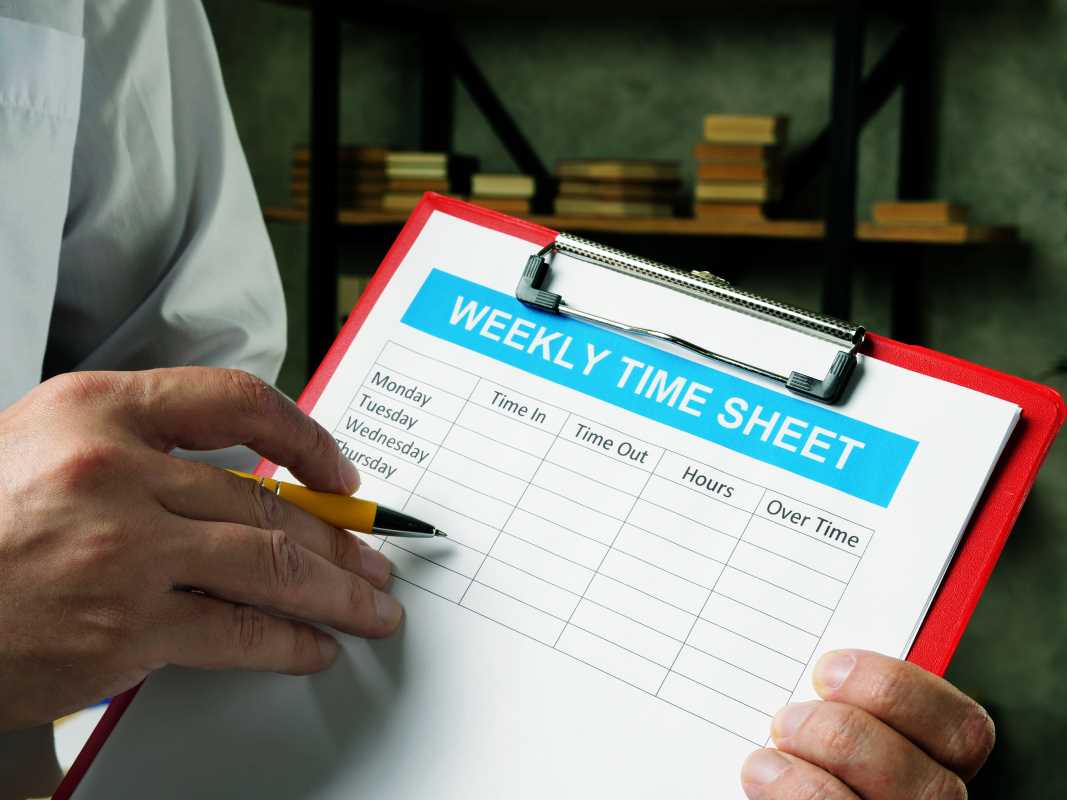
You can use Clockify on any device, switching between phone and computer as needed. Some prefer to update their total hours after wrapping up their day, so the platform provides a helpful weekly timesheet view.
Team leaders can keep an eye on current activity using the live dashboard. While the complimentary plan gives a lot, premium add-ons like PTO management and GPS for field employees are available for a small fee.
Example Scenario
A construction firm tracks crews moving between several sites. With Clockify’s mobile features, workers can clock in as they arrive, and supervisors have the information needed to streamline payroll, freeing up resources for other priorities.
RescueTime
RescueTime runs quietly in the background, recording app and site usage automatically. Perfect for individuals focused on working smarter, it’s all about understanding and eliminating distractions.
Highlights
Activities are sorted automatically, recognizing work-related tools like Word as productive versus social media as less so. Each day, you get a “productivity score” summarizing your online habits.
Another key tool is “FocusTime,” which blocks access to distracting content for set periods. Tracking reports reveal just how much time is lost to email, chats, or browsing. This, in turn, helps users make more mindful choices.
Example Scenario
A content writer notices productivity slipping. Installing RescueTime reveals two hours lost daily to news sites. Using the FocusTime feature to limit that habit, their output improves after just a couple of weeks.
Timely
Timely uses artificial intelligence for nearly effortless time recording. It automatically builds a timeline as you work, taking note of files, meetings, and webpages.
Highlights
With its “Memory” function, every action is captured throughout the day. Forget timers. Just review your log and match each activity to its project after you finish. Over time, the software learns patterns and sorts entries for you.
This means you never miss out on billing minor but real tasks, such as quick emails or brief calls. On average, users capture up to 40% more payable time thanks to this hands-off method.
Example Scenario
Software developers often juggle different tasks and teams over a day. Timely keeps track for them, allowing a quick five-minute review at day’s end to ensure every piece of work is properly assigned to the right project or client.
Hubstaff
Hubstaff is designed for businesses managing offsite or flexible teams. It delivers clarity around what distributed workers are doing and provides peace of mind to employers and clients.
Highlights
Hubstaff can snap periodic screen images and log mouse and keyboard activity. It also features options to verify that remote team members are active throughout their shifts.
GPS support helps managers check the locations of staff or delivery teams. “Geofencing” makes timekeeping automatic. It clocks workers in when they arrive at a site and out once they leave.
Example Scenario
A logistics provider uses Hubstaff to follow driver routes and stop durations. The resulting data helps refine scheduling and brings detailed accuracy to payroll processes, all without extra paperwork.
All articles published on ToolGauge are created for informational and editorial purposes only. Readers are encouraged to verify details directly with manufacturers, service providers, or official industry sources before making business or technology-related decisions. ToolGauge is not affiliated with, endorsed by, or officially connected to any specific company, brand, or technology provider unless explicitly stated.