 (Image via
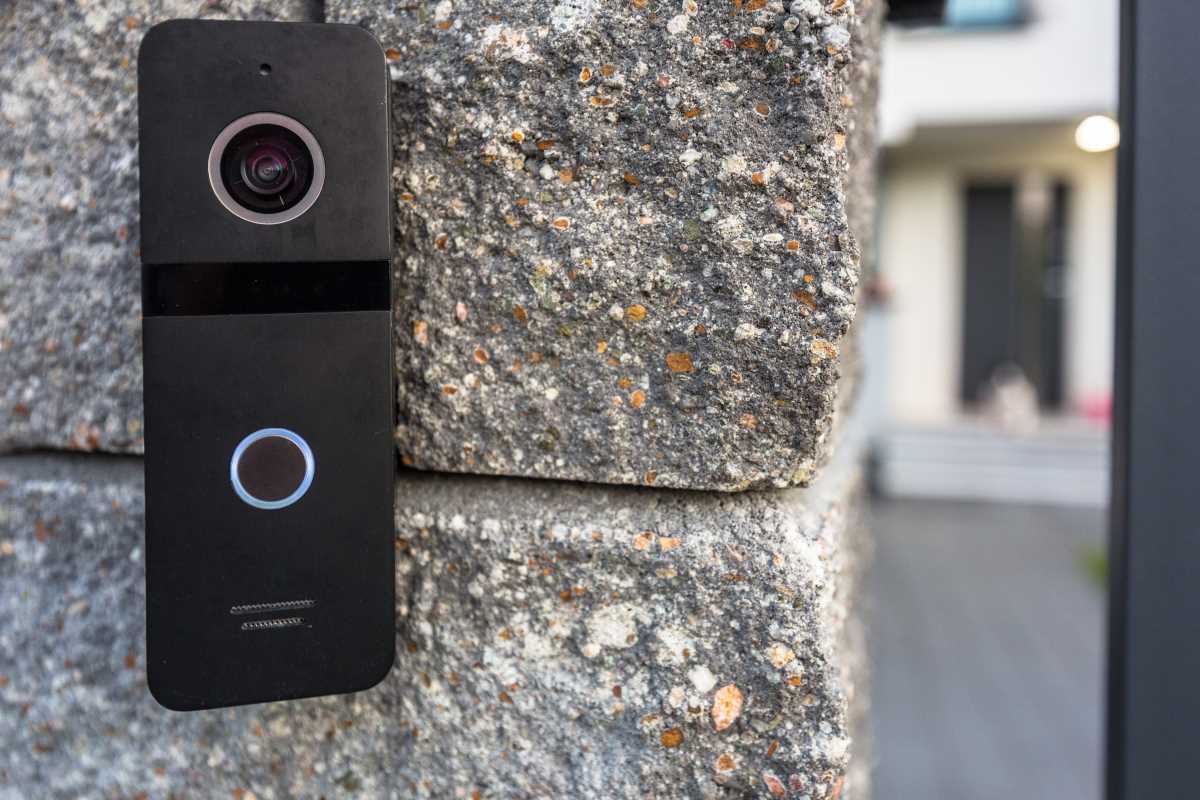
A doorbell's purpose used to just be letting you know someone was at the door. But with smart technology, nowadays it can do a whole lot more, including keep your family safe. Modern smart doorbells are equipped with cameras, microphones, speakers, and motion sensors, all seamlessly connected via Wi-Fi. They allow you to stream live video to your smartphone, no matter where you are, hold two-way conversations with visitors, and receive real-time alerts for package deliveries or unexpected activity. This innovation enhances safety and adds convenience to your daily routine. In this guide, we’ll explore how smart doorbells work and highlight some of the best options for every type of household.
How Smart Doorbells Enhance Home Security
Today’s models have become active defenders for your front entrance. One major highlight is the freedom to answer the door from across town, out of state, or right upstairs. Whenever someone approaches your entryway, you’re notified right away and can have a real-time conversation, making it seem like you’re always present. This simple trick is enough to turn away many would-be intruders.
Detecting activity is another important aspect. Built-in cameras spot any movement, even if nobody rings, so you know about package drop-offs, your kids arriving home, or anyone suspicious hanging nearby. The best-in-class options use technology that figures out if it’s a person, animal, car, or parcel, so you’re not constantly getting unnecessary pings.
Wired or Battery-Powered
The first step is to decide how you’re going to keep your device running.
- Wired: These connect to your existing mechanical doorbell’s wiring, providing ongoing electricity. Install it once, and you won’t need to think about recharging. These are very reliable and enable handy extras like pre-roll video that shows the moments before each event.
- Battery Models: These come with a rechargeable cell you’ll need to top up every few months. They’re a breeze to install. All you have to do is screw the mounting bracket in place. These work particularly well for renters or anyone without existing doorbell wiring.
Leading Smart Doorbells for Every Need
Plenty of options are out there, but a handful consistently get top marks for performance, dependability, and user experience.
Ring Video Doorbell Pro 2
Ring’s Pro 2 is a high-end, hardwired pick loaded with advanced features. One unique ability is its head-to-toe video format, capturing visitors and anything at their feet, such as packages.
A standout innovation is its 3D Motion Detection and Bird’s Eye View, which uses radar to track exactly how someone moves across your front yard. It then overlays that path onto a map, helping you put alerts in context. Crisp visuals, clear conversations, and an excellent app experience round things out. Subscribing to Ring Protect unlocks cloud backup for your videos.
Nest Doorbell (2nd Gen, Wired)
Anyone who’s built their smart home around Google Assistant will appreciate the 2nd generation Nest Doorbell. It delivers sharp images and smooth compatibility with Google displays. Each ring shows up automatically on your Nest Hub, so you never miss a guest.
Nest stands out for its alert system, identifying familiar faces and calling out their names when they arrive. You’ll also be told if it’s a visitor, a delivery, an animal, or a car. Basic video history comes without a fee, though long-term recording requires a Nest Aware plan.
Eufy Security Video Doorbell S330
Eufy offers a flexible no-subscription approach with the S330, perfect for those who’d rather skip ongoing fees. It runs on rechargeable power and saves all your recordings locally on the included HomeBase 3, giving you control over your footage.
This model shines thanks to two cameras: one for the person at the door, the other aimed lower to check for left packages. This eliminates awkward blind spots. The battery lasts a long time, and smart software keeps notifications focused on real activity.
Logitech Circle View Doorbell
The Circle View was made with Apple integration in mind. It pairs tightly with HomeKit Secure Video, handling all alerts and footage through your own iCloud storage. That means privacy and security stay in your hands.
The camera captures a full portrait view, ideal for seeing visitors and items below. Night vision performance is solid, and, as a native HomeKit accessory, it can cooperate with other Apple-friendly gadgets. For example, triggering exterior lights upon motion. It requires a wired installation.
Key Details to Weigh Before Buying
Don’t get hung up on brand. Consider which features matter most for your house.
- Resolution and Viewing Angle: Sharper video (1080p or higher) helps you recognize visitors and spot details. A wide, tall field of view is better for seeing both faces and what’s on the ground.
- Night Vision: All models have some type of night mode, but there’s a range of quality. Some use basic LEDs for black-and-white images, while others offer rich color using existing outdoor lighting.
- Voice Talkback: Two-way audio is standard. The best versions include sound filtering, so conversations stay clear and free of distracting noise.
- Ongoing Fees: Many brands offer core services for free but require monthly payments for saving recordings or advanced functions. Eufy is popular for local storage and no fees, while Ring and Nest require a plan for full features. Account for this as part of your decision.
- Smart Ecosystem Compatibility: Make sure the product will work smoothly with your digital assistant of choice, whether it’s Alexa, Google, or Apple. This opens up automated routines or voice controls.
Setup and Getting Started
Installation isn’t as tough as it seems, especially for wired models. Here’s a summary:
- Switch Off Power: Always cut electricity at the breaker before working with wires.
- Take Down Old Doorbell: Unscrew and disconnect the previous button.
- Install Mount: Attach the holder for your new device.
- Wire It Up: Connect the leads to the back plates; there’s no polarity to worry about.
- Chime Kit Integration: Most hardwired kits include a small adapter for your indoor chime box. This ensures your new gadget gets steady power.
- Reconnect and Configure: Restore power, check for lights, and use the app to get connected to your network.
If you’ve opted for a battery version, things are even easier: charge up, attach to the wall, and link to Wi-Fi.
All articles published on ToolGauge are created for informational and editorial purposes only. Readers are encouraged to verify details directly with manufacturers, retailers, or official sources before making home improvement, design, or purchasing decisions. ToolGauge is not affiliated with, endorsed by, or officially connected to any specific company, brand, or product unless explicitly stated.